
mac版steam错误代码118解决方案-解决mac版steam错误代码118的步骤
很多mac用户都在steam这个平台上遇见过steam错误代码118的问题,这个情况该怎么解决呢?其实steam的代码错误都大同小异,只要设置一下hosts文件就可以了,今天就教大家如何解决这个问题,具体的步骤下面跟小编一起来看看吧。
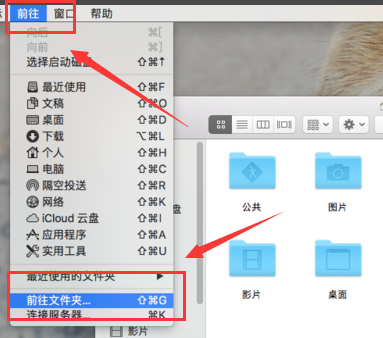
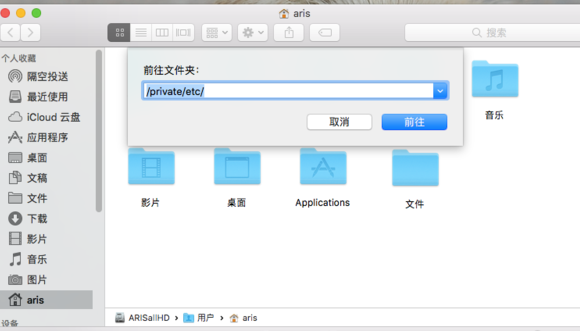
1、我们选择MAC上方的前往,然后选择“前往文件夹”在弹出来的指向栏中输入“/private/etc/hosts”
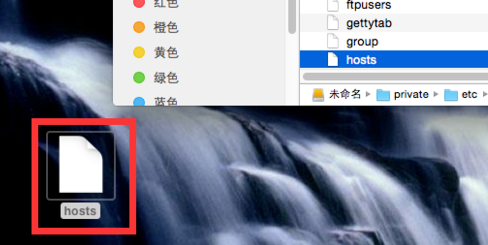
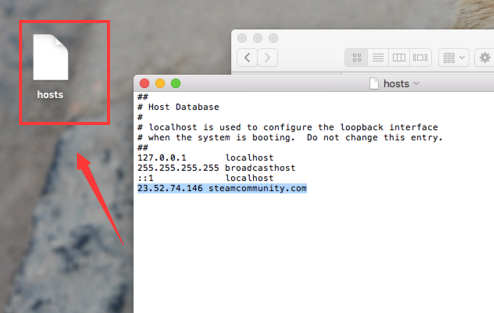
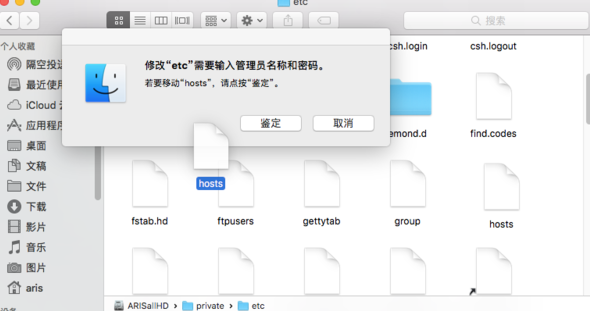
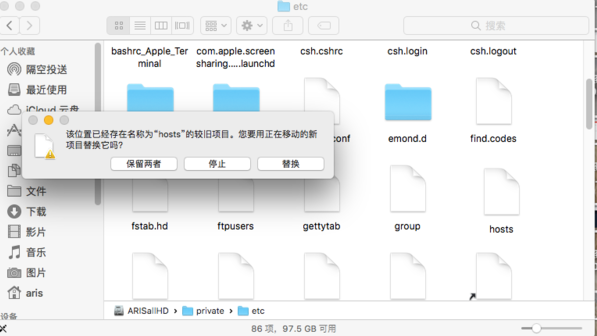
2、然后我们将hosts文件拖到桌面上,不然无法修改,然后输入“23.52.74.146 steamcommunity.com”然后保存将hosts文件拖回去进行覆盖
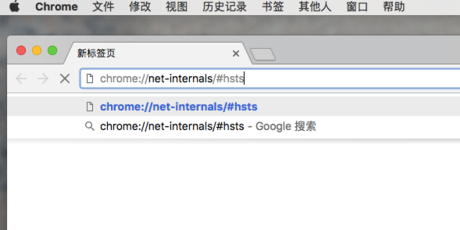
3、然后我们在浏览器输入“chrome://net-internals/#hsts”指向浏览器参数设置界面,有些浏览器可能不支持这个页面,我们可以使用谷歌浏览器打开。
4、然后我们在下图所标记的地方输入“steamcommunity.com”然后选择下面的地方进行√,最后按下ADD保存应用。
5、然后我们就可以解决MAC版steam错误代码118的问题了,是不是很简单
steam错误代码-101>>>
steam改名字错误代码-118解决方法>>>
steam错误代码-111>>>